
Charts have been improved

Scanz charts get a major navigation overhaul: left-aligned controls, improved indicators menu, new Preferences panel with extended hours and crosshair options.

We’ve made some important improvements to the main navigation bar in our charts. A more intuitive interface now makes it more user-friendly to access all of the powerful functionality:

The navigation is now left-aligned and does not collapse when the window is squeezed horizontally (made narrow).
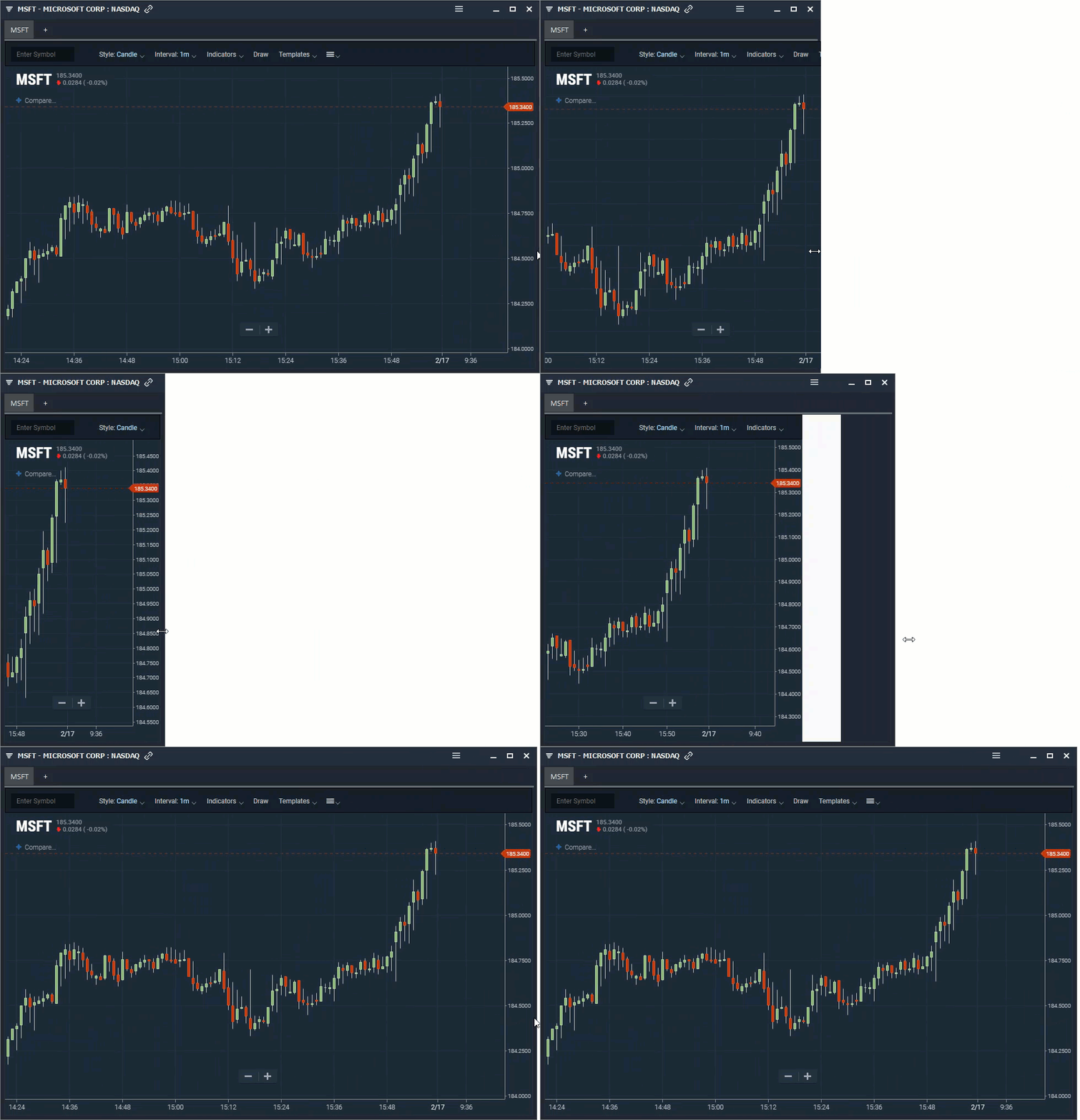
Stock price chart with technical analysis

Selected indicators are now displayed at the top of the “Indicators” menu and can be removed from there as well.
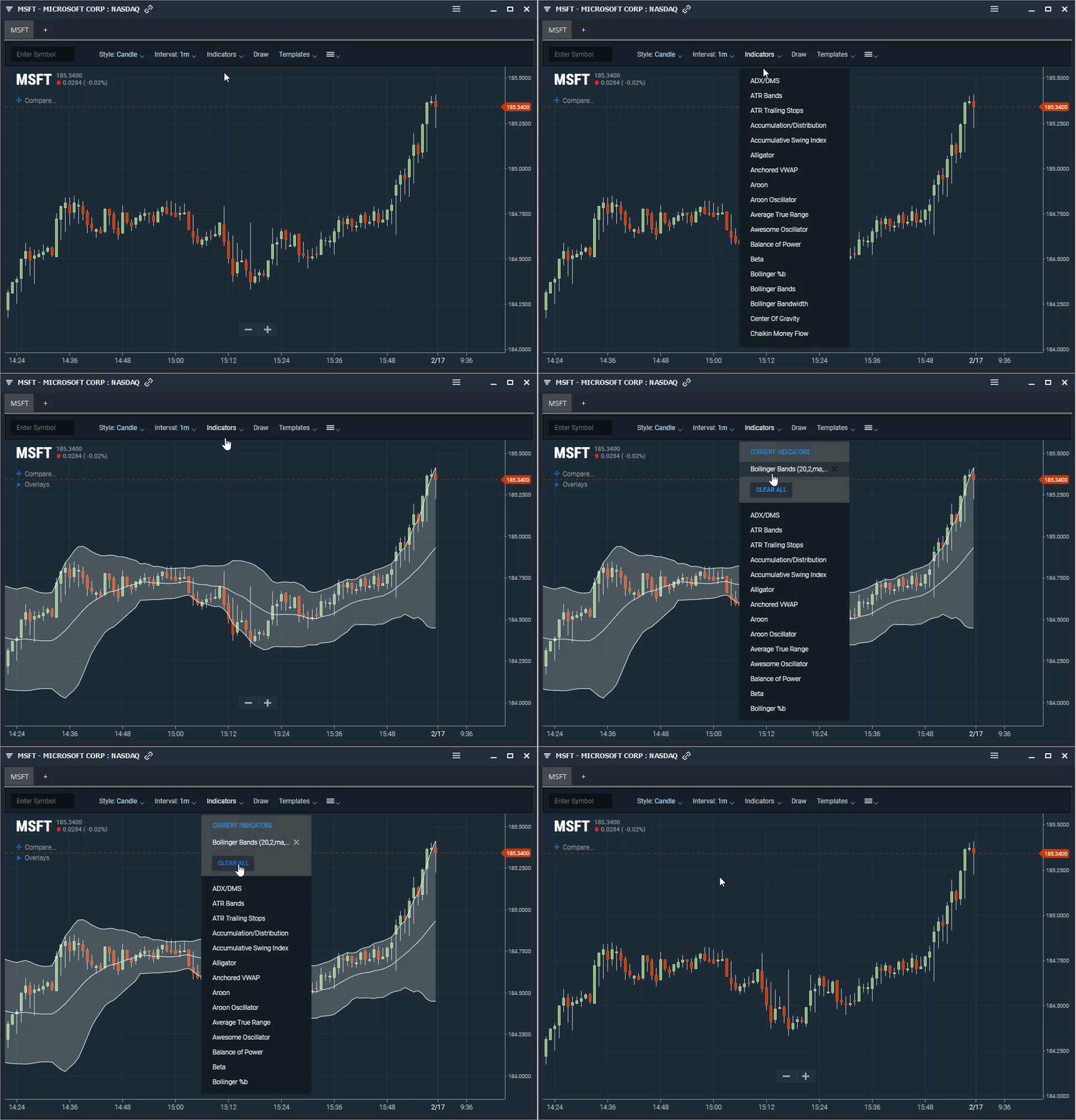
Stock price chart with technical analysis

A new “Preferences “ menu has been added. This menu contains options including extended hours charts, crosshair, quote info and much more.
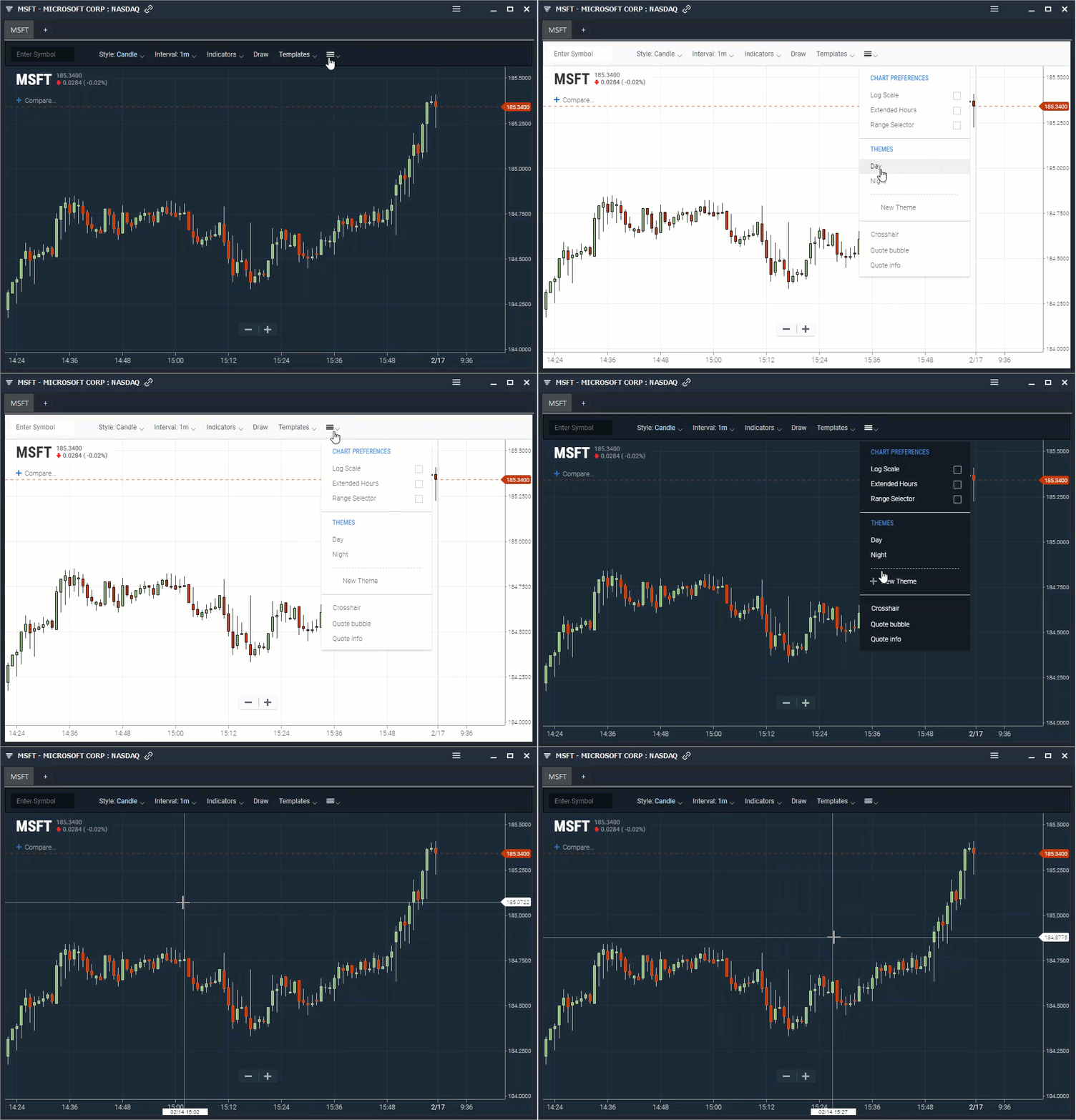
Stock price chart with technical analysis

The dropdown colors are more seamless and easier on the eyes.

We are adding many more incredible capabilities to our charts based on your feedback and suggestions. They will be released soon!

release-notesupdate

Introducing Pre Built Scans

Access 70+ ready-to-use stock scans built by successful traders. Find biggest gainers, golden crosses, gap ups, and more with just a few clicks in Scanz.

Read
release-notesupdate

Update to Watchlists and Layouts Manager

Scanz Watchlists and Layouts Manager gets a fresh tabbed design, making it easier to create, organize, and switch between custom watchlists and trading layouts.

Read
update

Block Trades are now better!

The Block Trade alerts UI in Scanz Breakout Scanner has been redesigned for a cleaner, more intuitive experience when creating and modifying alerts.

Read

Ready to Start Scanning?

Join thousands of traders using Scanz to find their next opportunity.

Open Scanz