A few weeks ago we rolled out new “auto-save” functionality that automatically remembers the state of all your windows (when closed) as the default settings. While this was received extremely well, we were also told by customers that they did not want this to be mandatory as some prefer to choose when and which feature windows to save as defaults (ie. quick, temporary changes to charts do not necessarily need to be saved as permanent). Our mistake.
We totally understood how we overlooked that detail and how it could be a major pain in the butt for some. So we did something about it.
Auto-Save is now optional and can be turned ON/OFF in your Settings. You will see a toggle option in the ‘Main Settings’ called Auto-Save.
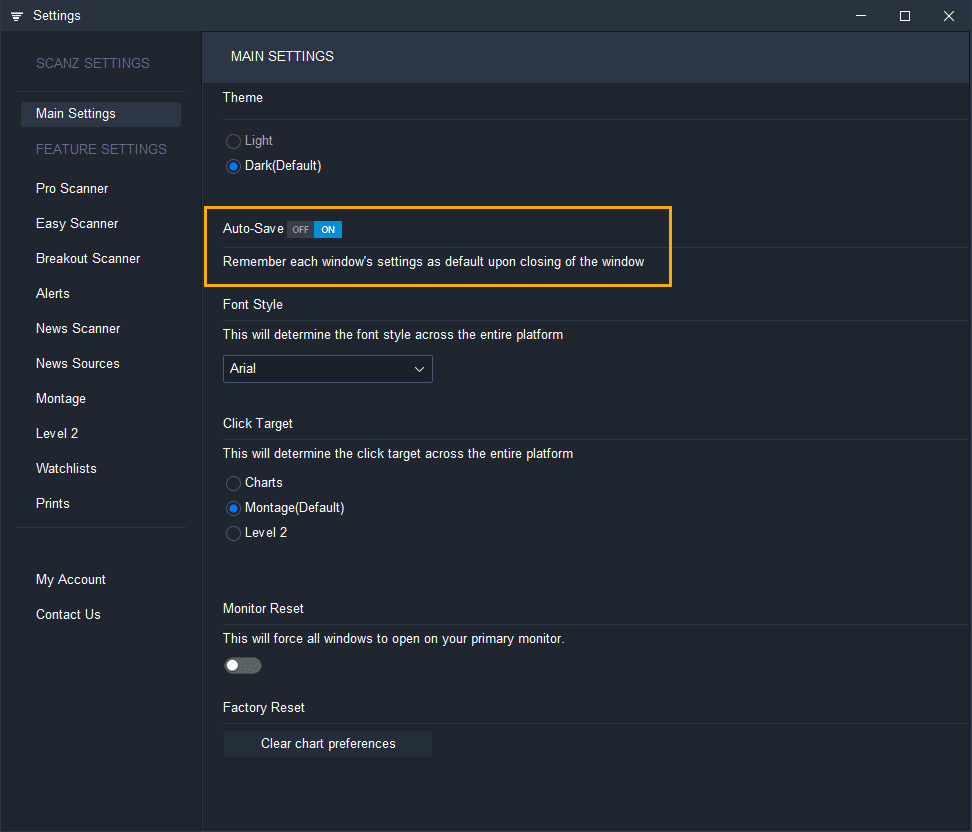
Here is how it works:
If you prefer reading your instructions on how it works, here they are below:
When Auto-Save is toggled OFF:
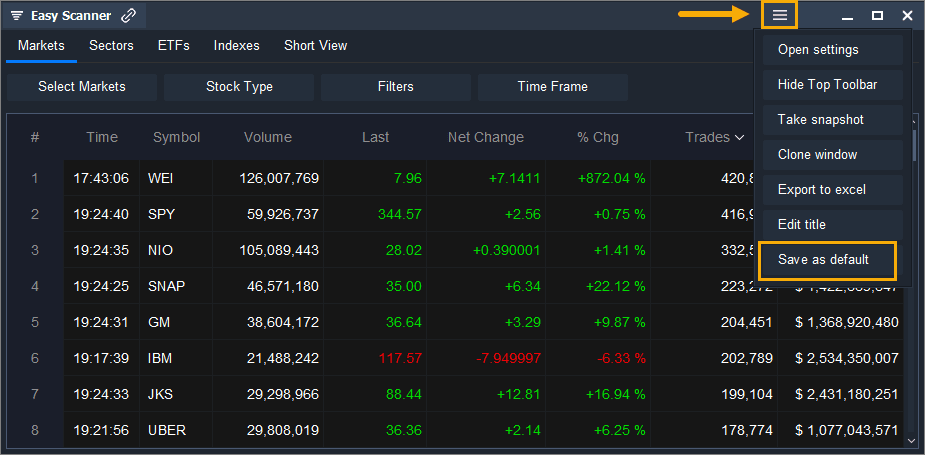
- You will be able to manually set a window’s settings as default from the menu found in the top right corner of each window (top left corner on Mac).
-
The menu will contain an option at the bottom called “Save as default”.
-
Clicking on this will save that window’s exact state as default for all future openings.
When Auto-Save is toggled ON (blue):
Nothing more needs to be done. Your feature window’s settings will automatically save when the window is closed. If you have multiple same windows opened at the same time (ie. many charts, ) then the last one you close will automatically be remembered as the default for future openings.